The AI to-do app for Mac and Microsoft 365.
Omnido brings scattered tasks together: a question in Teams, an email, a thought in between. You capture it in Omnido. The AI suggests a title and description, and with a subscription also the date and category. You check and accept the task, with the source right there.
Get started in your browser (opens in a new tab)
Download the Mac app (opens in a new tab)
 (opens in a new tab)
The download is for Macs with Apple silicon. To check yours: Apple menu → “About This Mac”, line “Chip”. If it lists an Intel processor, use Omnido in your browser.
You can use Omnido without a subscription for good. The subscription adds the full AI analysis and reading of photos and PDFs. Compare with and without a subscription
How an email becomes a task
Capture
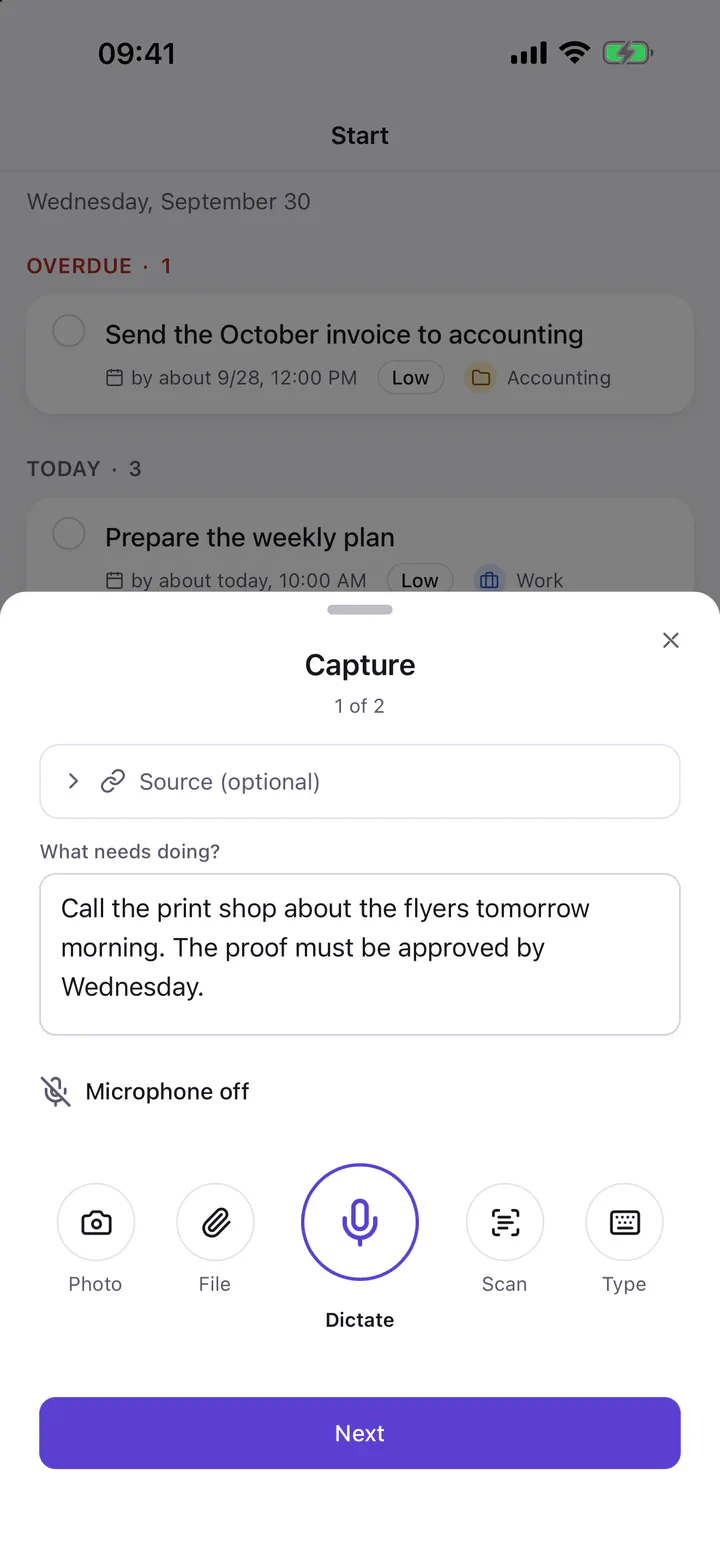
Select text, press the shortcut, done. Omnido takes the text and its context along, such as the app, the window title or the page address.
Check
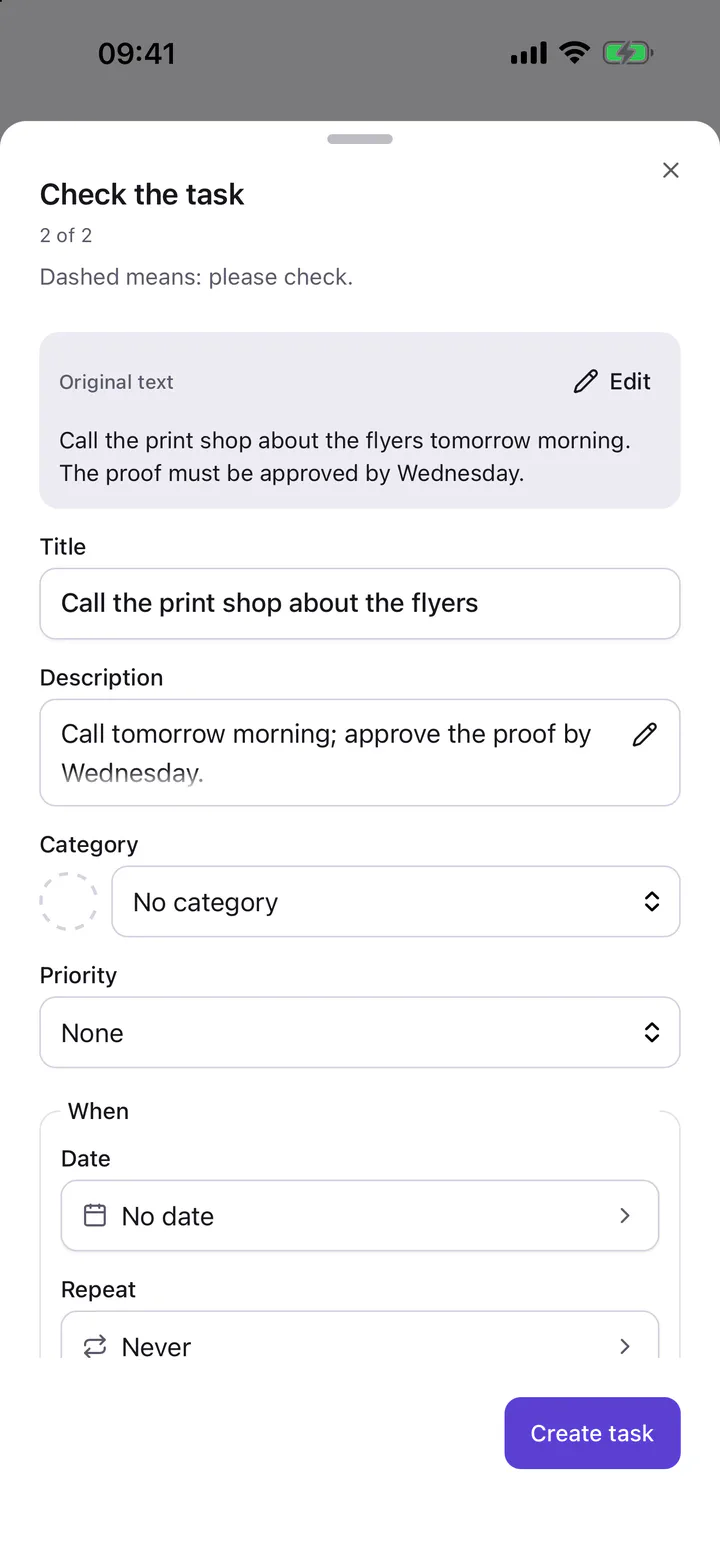
The AI suggests a title and description, and with a subscription also a date and category. Dashed fields still need a check. You change what doesn’t fit and accept the task.
Overview
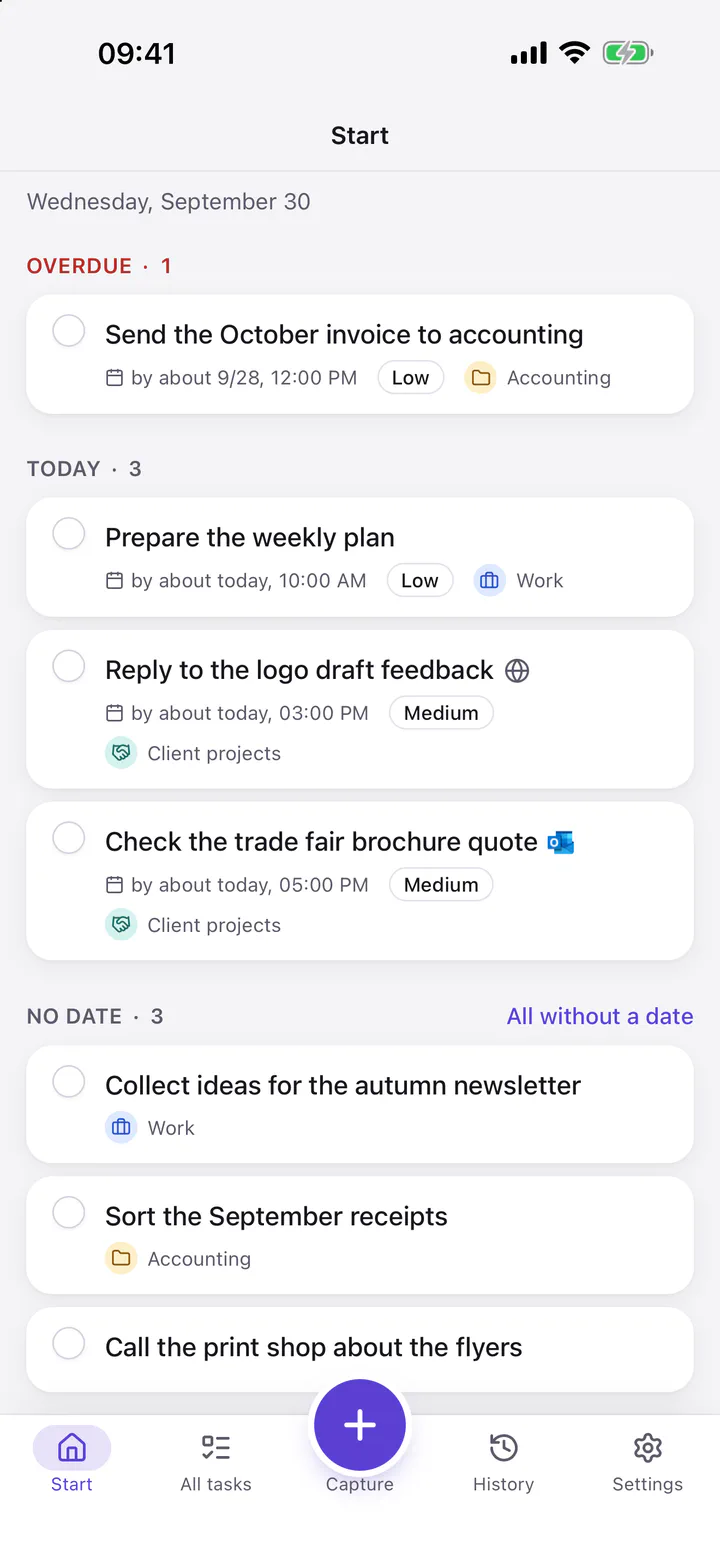
Start shows what matters now: new captures, what is overdue and what is due today. You sort all tasks by time or area, work and personal in one place.
Go to source
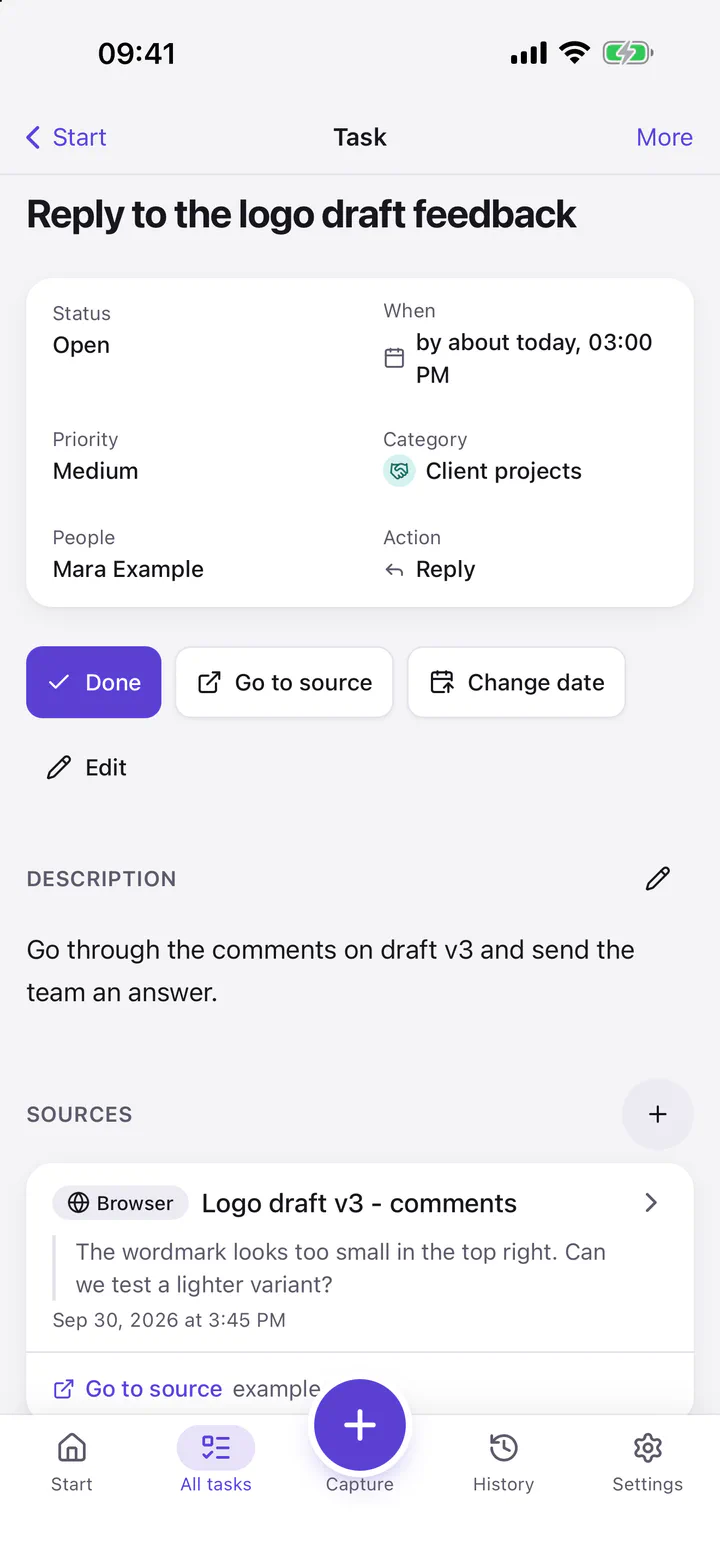
The task keeps its source with its origin and an excerpt. “Go to source” takes the best stored way back, for example to the mail, the chat or the page.
Screenshots from the iPhone app with sample data.
Guides: Outlook email to task · Teams message to task · Letter to task · Claude Code creates tasks · Cursor creates tasks · Codex creates tasks · Claude Desktop works on tasks
Common questions
Can I turn an Outlook mail or a Teams message into a task?
Yes. On your Mac, you select the text and open Omnido with the hotkey. The text and the available context, such as the app and the window title, come along, the AI suggests the details, and you accept. “Go to source” opens the exact message with a connected Microsoft account, for Teams a work or school account, and a unique match.
Will I always return to the exact message?
No. “Go to source” opens the best stored way back: depending on the source, the single message, only the chat or the page, or there is no way back. Omnido finds a specific Outlook or Teams message only with a matching Microsoft account, permission and a unique match.
Which devices does Omnido run on?
On Macs with Apple silicon as a Mac app that updates itself, in the browser, and on iPhone and iPad with the app from the App Store (opens in a new tab) .
Can I just sign up?
Yes, registration is open. Enter your e-mail address when you sign in and you get a login code; it creates your account. You do not need an invitation.
What works without a subscription?
Capturing on every path, tasks with their source and “Go to source”, search, categories, series, reminders, trash and data export. The AI suggests a title and a short description, 30 times a month. Date, category and priority suggestions, and reading photos and PDFs, come only with a subscription, in the trial or with an access grant. Using Omnido without a subscription is not a trial that runs out: you keep it for good.
Why Omnido exists
My tasks were spread across GitHub issues, Planner, Microsoft To Do, WhatsApp and personal notes. I was missing one overview, and later I often no longer knew where I had to reply. That is why I am building Omnido.